
Technology
Technology is a big part of learning at NICC. While the technology may differ by course
modality, we want all of our students to feel confident navigating technology. Check
out the resources below to help make your technology onboarding seemless. This page
features a quick check, as well as a more detailed description below.
|
First Day Essentials: Technology Tools Quick Check
|
|||||||||
| Website/ Shortcut Link | What is it? | What will I find here? | Phone Application to Download? | ||||||
| 📧 Microsoft Outlook | Your NICC Email & Calendar |
|
Yes; Recommended to download for quick updates and contacting your instructors. |
||||||
| 🎦 Microsoft Teams | NICC's Platform for Virtual Class Meetings |
|
Yes; An essential for virtual or blended classes as a computer back-up. |
||||||
| 🔴Canvas | NICC's Learning Management System |
|
Yes via 'Canvas Student by Instructure'; |
||||||
| 🔘 Empower | NICC's Student Information Management System |
|
Website only | ||||||
| 🔵NICC Website | NICC's Official Website |
|
Website only | ||||||
NICC TECHNOLOGY TOOLS (Detailed) |
|
Tech Tool |
Description |
Device, Set-Up, and Internet Connection |
|
1:1 Technology(degree-seeking students taking 3+ credits)
|
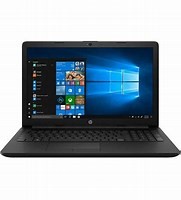
New Windows 11 Pro Laptops. These laptops can be set up without internet. If you have slower internet speed at home, you may want to consider downloading your Office 365 package on campus. Talk to your Student Service Advisor for more details. You can find their contact information here. |
Office 365 for Students |
NICC provides Microsoft's Office 365 to each student free of charge. This means the latest version of the full Office productivity suite, including Word, Excel, PowerPoint, OneNote, and more available for offline and online use to best prepare you for class. As long as you’re a student, you’ll be able to use this software for free. Note: You can install on up to 5 compatible PCs and Macs, plus tablets (including iPad!). Additionally, utilizie Onedrive for automatic device file syncing. To get your Office follow these simple steps: For PC and Mac:
For iOS and Android: Download from your app store: Windows 10, iOS, Android. You will need your e-mail address ex: JDoe@thenicc.edu (student e-mail begin with your location - Mac for Macy, San for Santee and SSC for South Sioux City) to sign in. If you have trouble installing Office, this guide may resolve your issue: http://aka.ms/office365help. Additional reslources include: Office 365 FAQs or Office Training Center |
MiFi Internet Access(Contact Student Services for details) |
NICC can help connect students to internet access for those who live within service area of internet towers near both Macy and Santee, as well as surrounding areas of the Omaha and Santee Reservation. Talk to your Student Service Advisor for more details. You can find their contact information here. |
NICC Communication |
|
Email (app)Outlook
|
Your mobile device may already have a default email app that you can use for your NICC email, or you can use the Outlook app. This app is available on mobile devices as well as on employee’s computers. Settings you may need to add your NICC e-mail:
|
NICC Coursework & Virtual Classes |
|
Canvas by Instructure(web/app)
|
Canvas is NICC’s Online Learning System. Here you can access class materials, submit assignments, use the gradebook, view the online syllabus AND MORE from any mobile device. Check out the NICC Student Orientation page to meet your NICC family and learn about more resources we have on all three campuses. Canvas Student App for Android Device Canvas Student App for iphone and/or ipad Instructions-
|
Microsoft Teams(web/app)
|
Microsoft Teams is the primary virtual class meeting platform that NICC uses. This virtual meeting location is tied to your NICC Office 365 Account and is easy to access through your email. You can meet virtually, send chats, access class recordings (if applicable) and join classes on this platform. You can join through the browser, download to computer (if not already there), or download via your device’s app store.
How to Download Microsoft Teams (Links to an external site.) |
Saving Your Documents |
|
OneDrive(web/app)
|
OneDrive is a file hosting service that allows users to sync files and later access them from a web browser or mobile device. Within OneDrive, users can upload, create, edit and share files in Microsoft Word, Excel, PowerPoint and OneNote. In addition, Office Online tools allow multiple users to simultaneously collaborate.
For more information: https://login.microsoftonline.com/
*Note, you can also use your own accounts such as Google Drive or other platform. Canvas has an ability to integrate this as well. |




For any questions regarding using technology, please contact Student Services, The IT Team, or the Instructional Design Team. A few key contacts are:
- Rex Webster rwebster@thenicc.edu 402-241-5976
- Justin Kocian jkocian@thenicc.edu 402-494-2311 ext. 133
- Dr. TommyShawn Long tlong@thenicc.edu
- Megan Miller mmiller@thenicc.edu 402-241-5939